Email Marketing in 2026: What Changed (and What to Do Now)
How has your email marketing worked out for you in 2026? If you’ve noticed emails bouncing, landing in spam, or not sending at all, you’re not alone. Thousands of authors and businesses have run into the same issue. Here’s why.
In February 2024, Yahoo, Apple, and Google introduced similar authentication requirements. In February 2024, Google (Gmail) and Yahoo implemented email marketing standards to safeguard their users’ inboxes from the onslaught of spam and fraudulent emails that contain malware or ransomware.
Since then, Apple and Microsoft have also implemented these standards. Microsoft announced it will reject non-compliant emails to its accounts instead of filtering them as spam.
This convergence is significant because the four providers—Gmail, Yahoo, Microsoft, and Apple—collectively serve approximately 90% of the global consumer and business email market. The alignment across providers establishes uniform technical requirements that benefit the email ecosystem by replacing fragmented, proprietary systems with clear, standardized rules.
For a while, Gmail (and to some degree the other providers) treated the new sender requirements as educational guidelines. If you didn’t set your newsletter up correctly, Gmail would either route it to the spam folder or display a warning. Nevertheless, recipients could still find the message.
That grace period ended in November 2025, when Gmail started to reject noncompliant emails at the SMTP protocol level. If your setup isn’t correct, your message may never arrive.
Recommended article
Less Spam: Google & Yahoo Enforce Email Marketing Standards
In February 2024, Google and Yahoo implemented email marketing standards to combat spam and enhance inbox security.
Challenges beyond compliance
In January 2026, Google introduced AI-powered inbox filtering. Their stated goal? To filter “out the clutter so you can focus on what’s most important.” [1]
Let’s leave aside questions about data protection (and collection)-that’s a topic for another time. To "filter out the clutter," Gmail tracks your behavior—opens, clicks, replies, reading time—and uses that data to decide whether my emails deserve a place in your inbox.
Here’s where it gets tricky. Mailbox providers already evaluate email volume and sending frequency to determine if senders are engaging in spammy practices. Undoubtedly, the AI-driven filters will flag sudden, irregular bursts of emails as spam (e.g. once every two months). In other words, they will penalize you if you don’t send emails regularly and consistently.
Put together, the stricter standards and the AI-filters severely impact your email marketing. This sounds bad, but it doesn’t have to be. There's a simple, manageable solution for everyone.
Regularly and consistently provide value
I have always advocated sending regular emails. Only sending updates when there is major news, such as an upcoming book release, has major drawbacks. If you only email twice a year, people might forget about you. Plus, if your emails are just about new products, it looks like you’re only in it for the money. You might lose subscribers either way.
With the recent changes, it could get worse: For example, if you typically send weekly emails but then neglect to do so for a few weeks for whatever reason, you may experience issues with your next email. These issues could include delayed deliveries or emails ending up in the promotions or spam tabs. The worst outcome is that your emails won't be delivered at all. This results in depressed open rates, which affects your reputation. This can become a vicious cycle.
Recommended article
Author Platform: How To Set Up Your Email Marketing
Author newsletters are important, but they take time and effort to make. When authorpreneurs are setting things up, they need a clear call to action and to stay on-brand.
Keep your list clean
Maintaining an email list is essential for successful delivery. Emails that constantly bounce quickly damage the sender's reputation and trigger placement in the spam folder. So, how do you keep your list clean?
First, use double opt-in (DOI) to verify subscribers' intent to receive emails. This not only limits the number of bots that contaminate your email lists but also strengthens the quality and accuracy of lists from the outset. Moreover, you don’t break the law, such as the GDPR.
Second, regularly remove inactive contacts. If you send emails to a list of contacts who rarely open or click on them, Gmail will treat your future emails as low-value, even if you are technically authenticated. These people are dead weight that lower your performance, reputation, and also costs you money. So, cut those that don't act in your re-engagement campaign.
A smaller, active list beats a large, silent one every time.
To be clear, it's not the specific time interval between newsletters that causes issues, but a change in your typical sending pattern. A steady schedule builds trust with your audience and inbox providers.
Since Gmail tracks engagement, you must be consistent in both your frequency and quality! Senders who provide valuable, targeted content receive increasingly favorable placement and deliverability.
Moreover, since Gmail monitors your subscribers' behavior, you must be consistent not only in your frequency but also in your content. Those who provide valuable, targeted content receive increasingly favorable placement and deliverability. Conversely, those who send generic, batch-and-blast messages with low engagement will see their messages pushed down in the inbox, filtered to the promotions tab, or eventually rejected.
What should you do if you get sick or encounter other circumstances that prevent you from writing an email? I suggest preparing several backup emails with evergreen content that you can send out.
Email marketing 2026 takeaways
Today’s takeaway is simple: email marketing isn’t dying; it’s evolving. And you have to evolve with it. Despite some drawbacks, certain changes bring immense benefits us: they force us to become the author that subscribers enjoy hearing from—not one that they scroll past while muting notifications.
So, verify your identity, maintain clean lists, and send messages that people want to read.
[1] Google: https://blog.google/products-and-platforms/products/gmail/gmail-is-entering-the-gemini-era/
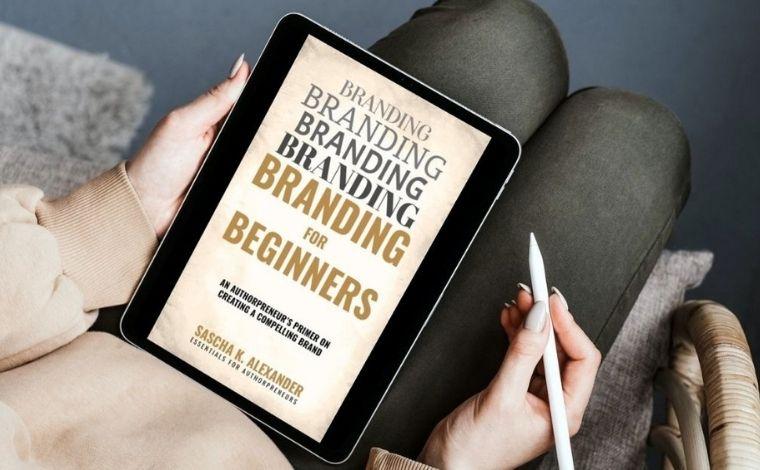
Sign up for the "Essentials for Authorpreneurs"
Are you ready to unlock your potential as an authorpreneur? Then sign up for Sascha K. Alexander's newsletter “Essentials for Authorpreneurs”, and get “Branding for Beginners: An Authorpreneur's Primer On Creating A Compelling Brand” for free.